Most realtors treat a listing shoot as a one-time expense: the photographer comes, the gallery goes up on MLS, and the files sit in a folder until the next listing. That’s leaving most of the value on the table.
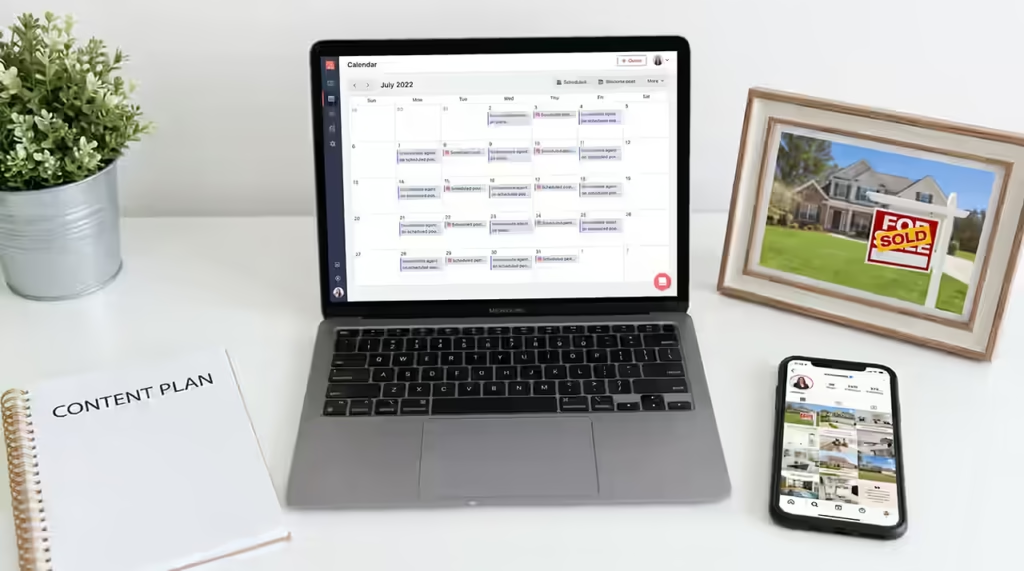
A single, well-planned shoot — stills, motion, and a walkthrough — can realistically supply four weeks of content across your website, social channels, and email marketing. The difference isn’t shooting more. It’s using what you already have more deliberately.
Start With the Shot List, Not the Edit
The 30-day content plan begins before the shoot, not after it. If you only ask your photographer for “the usual” gallery, you’ll get a usable but narrow set of assets. If you ask for a mix of wide establishing shots, detail shots (hardware, fixtures, textures), lifestyle-oriented angles, and a few vertical frames shot specifically for Stories and Reels, you walk away with raw material built for repurposing — not just documentation of the home.
This is where booking a tier with motion included (dop.media’s Motion, Premium, or Luxury packages, for example) pays for itself. A single walkthrough video can be cut a dozen different ways: a 60-second listing trailer, five to ten short vertical clips, GIF-style loops for email headers, and B-roll for future brand content.
Week One: The Launch
Your first week should front-load your strongest assets:
- Day 1–2: Hero photo and listing trailer go live on MLS and your website simultaneously.
- Day 2–3: Full gallery post on Instagram and Facebook, carousel format, with the property’s strongest selling point in the caption’s first line.
- Day 4: A vertical walkthrough clip on Reels/TikTok — kitchen or primary suite tends to perform best.
- Day 5–7: Email blast to your buyer list and past clients with the hero image and a two-line hook, linking to the full gallery.
Week Two: Go Granular
Once the listing has its initial push, shift from “here’s the home” to “here’s why this detail matters.” This is where detail shots and lifestyle framing do the work:
- A close-up of a kitchen island or view corridor with a caption about the lifestyle it supports, not just the finish.
- A short clip highlighting one room styled for a specific use — home office, wine room, outdoor kitchen.
- A “Did you know” post using a neighborhood or architectural fact tied to a specific photo.
Week Three: Social Proof and Behind-the-Scenes
By the third week, straight listing photos start to feel repetitive to your audience. Rotate in content that features you, not just the property:
- A short video of you walking through the listing, narrating what you’d point out to a client in person.
- A behind-the-scenes clip from the shoot itself — drone launching, twilight setup, or the photographer working a detail shot. This content consistently outperforms polished listing photos because it feels unscripted.
- If the property has a Matterport tour, this is a good week to promote it directly, framed as “walk through it yourself” rather than “here are more photos.”
Week Four: Recap, Repurpose, Retarget
Your last week should do double duty — closing out this listing’s content cycle while planting the seed for your next one:
- A “market update” style post that uses the listing as a case study (days on market, showing activity, price positioning) if the numbers are strong.
- Repurpose the twilight or aerial shot for a general brand post about your service area, not just this address.
- If the home sells, a clean “SOLD” graphic using the hero image becomes your highest-engagement post of the cycle. Save it — it’s also proof for future listing presentations.
The Content Bank You’re Actually Building
The underrated benefit of this approach isn’t the 30 days of posts. It’s that a well-shot listing keeps producing usable content long after the sale closes. Aerial establishing shots become location marketing. Interior detail shots become style-guide content for buyer personas. Twilight exteriors become portfolio and listing-presentation material for the next seller consultation.
When you brief a shoot with this in mind — and ask for the AI-enhanced variants (day-to-dusk conversions, sky replacement) where the weather doesn’t cooperate — you’re not paying for one listing’s marketing. You’re building a content library that compounds across every listing after it.
If you’re only getting a gallery and a single video out of your shoots right now, that’s a briefing problem, not a budget problem. A short conversation before the next shoot about shot list, verticals, and B-roll is usually all it takes to unlock the other three weeks.